

Tasting notes app rebuilt: capture faster while you taste
VinoVonk's free tasting notes app now has a fast live mode, QR flights and offline use. Try it and tell me what could be better.

A reader emailed that he kept reaching for paper at tastings. The tasting notes app moved slower than his glass, and the moment note-taking stalls, everyone picks up a pen again. Fair point. So I rebuilt the app around that single problem: writing things down has to be faster than, well, writing, even when five, twenty-five or a hundred people are tasting at once.
A live mode that follows the tasting order
In the new live mode you tap a card for each wine. No keyboard, just buttons. The steps follow the way you taste: look, smell, taste, a short note, conclusion. Under look you pick type, clarity, intensity and colour. Under taste you tap sweetness, acidity, tannin, alcohol, body and finish. Every field is optional, so you only fill in what you have time for.
I kept the conclusion deliberately simple. Two questions that matter later at the shop: do I like it, and would I buy this bottle myself. A 1 to 10 score is there too, but nobody has to use it. A wrong tap is fixed with the previous button or a swipe, without leaving a duplicate behind.

The host shares the line-up
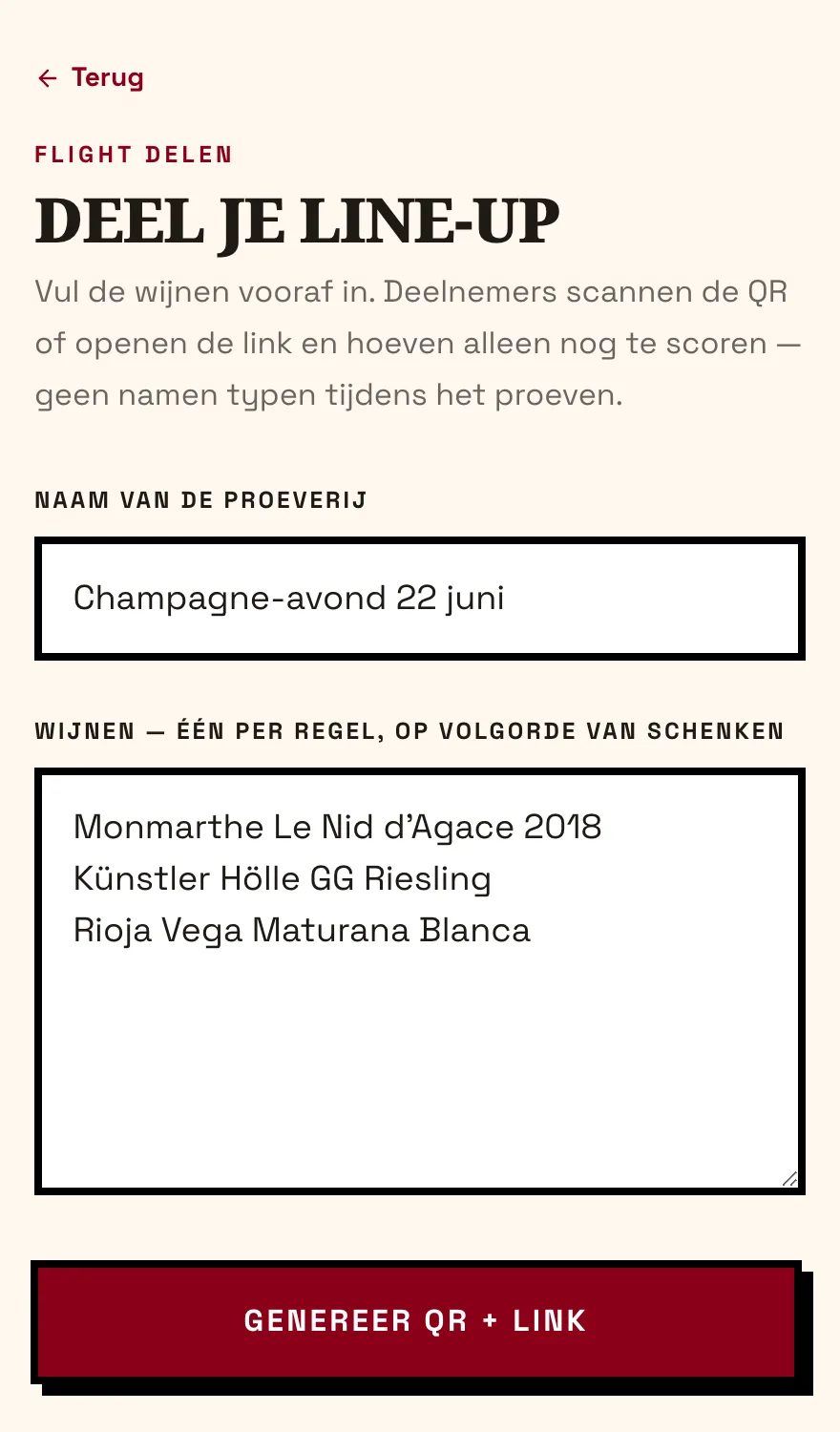
Pouring a tasting yourself? Set the wines up front and share a QR code or link. Guests scan, the wines are already filled in, and all they do is score. That saves typing long wine names while the speaker keeps talking. No server is involved, the whole line-up lives inside the link.
A buy shortlist afterwards
When the tasting ends you get an overview: a shortlist of wines you would buy, plus a ranking. Share that overview as text or keep it as a backup. An evening of tasting then leaves you with something you can use at the shop.

Now an app, offline too
You can add the app to your phone with an icon on your home screen, and it runs without a connection. Everything stays free and open source, your data sits locally in your own browser, and no account is needed.
Here is how you add it to your home screen. On an iPhone or iPad, open the app in Safari, tap the share button and choose “Add to Home Screen”. On Android, open the app in Chrome, tap the menu top right and choose “Install app” or “Add to home screen”. On a computer, click the install icon on the right of the address bar.
After that first visit the app also works without a connection. So you keep taking notes in a cellar or vineyard with no signal. Clear your browsing data and your notes are gone, so export them now and then via Settings.
Try it
Give the rebuilt tasting notes app at vinovonk.com/en/tasting/app a spin and tell me what is missing or what could be better. An email to [email protected] is enough. The last version improved because of one honest remark, so I am curious about yours.
More on News

The Dutch Drink Less Champagne, and Almost Always Reach for Brut
2.6 million bottles in 2025, a sixth less than the year before. And 85% of it is brut non-vintage. What the new Comité figures reveal about the Netherlands.
Read on →
PDO Mergelland for Domein Holset: what the seal proves
Classic Brut 2022 and Dame Brut Nature 2022 can now carry PDO Mergelland. What this Dutch appellation guarantees, and what it quietly leaves out.
Read on →
Italy Is Still the World's Largest Wine Producer in 2025
Italy, France and Spain together made almost half the world's wine in 2025. The OIV numbers behind the AAWE chart making the rounds on LinkedIn.
Read on →